Free · Open source · No ads
An open-source Minecraft launcher
Modded instances on Fabric, Forge, NeoForge and Quilt, mods from Modrinth and CurseForge in one click. Free, no ads, every line of code on GitHub.
- 4
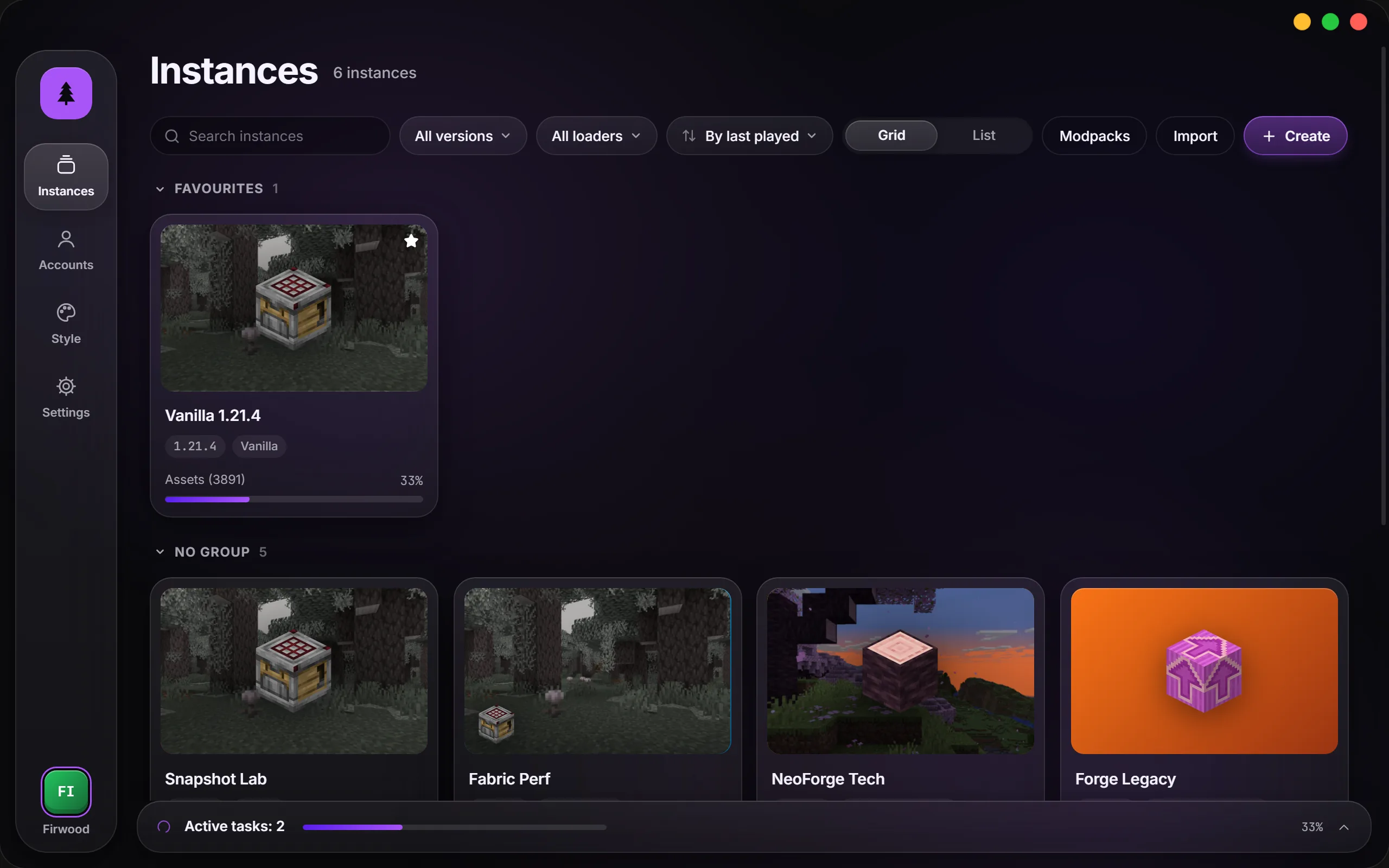
- loaders: Fabric, Quilt, Forge, NeoForge
- 2
- mod catalogues: Modrinth and CurseForge
- 3
- systems: Windows, macOS, Linux
- 0
- ads and tracking
Open source
All of the code is open
MIT licence: read it, build it, change it, share it. The launcher collects no statistics and shows no ads — the source code says so, not just a promise.
Rust and Tauri underneath, a React interface on top. Found a bug or want to add something? Open an issue or send a pull request.
Build from source
git clone https://github.com/perdeyvariant-hue/FirLauncher
cd FirLauncher
npm install
npm run tauri dev
You need Node.js and Rust. Details in DEVELOPMENT.md.
Features
What it does
Instances
- Every instance on its own
- Its own mods, worlds and settings — nothing leaks between versions.
- Any version, any loader
- Fabric, Quilt, Forge and NeoForge. Add or switch the loader right in the instance settings.
- Import and export
- .mrpack modpacks, CurseForge archives, MultiMC and Prism instances — just drop the file on the window.
- Desktop shortcut
- Starts the game straight away, without the launcher window.
Mods
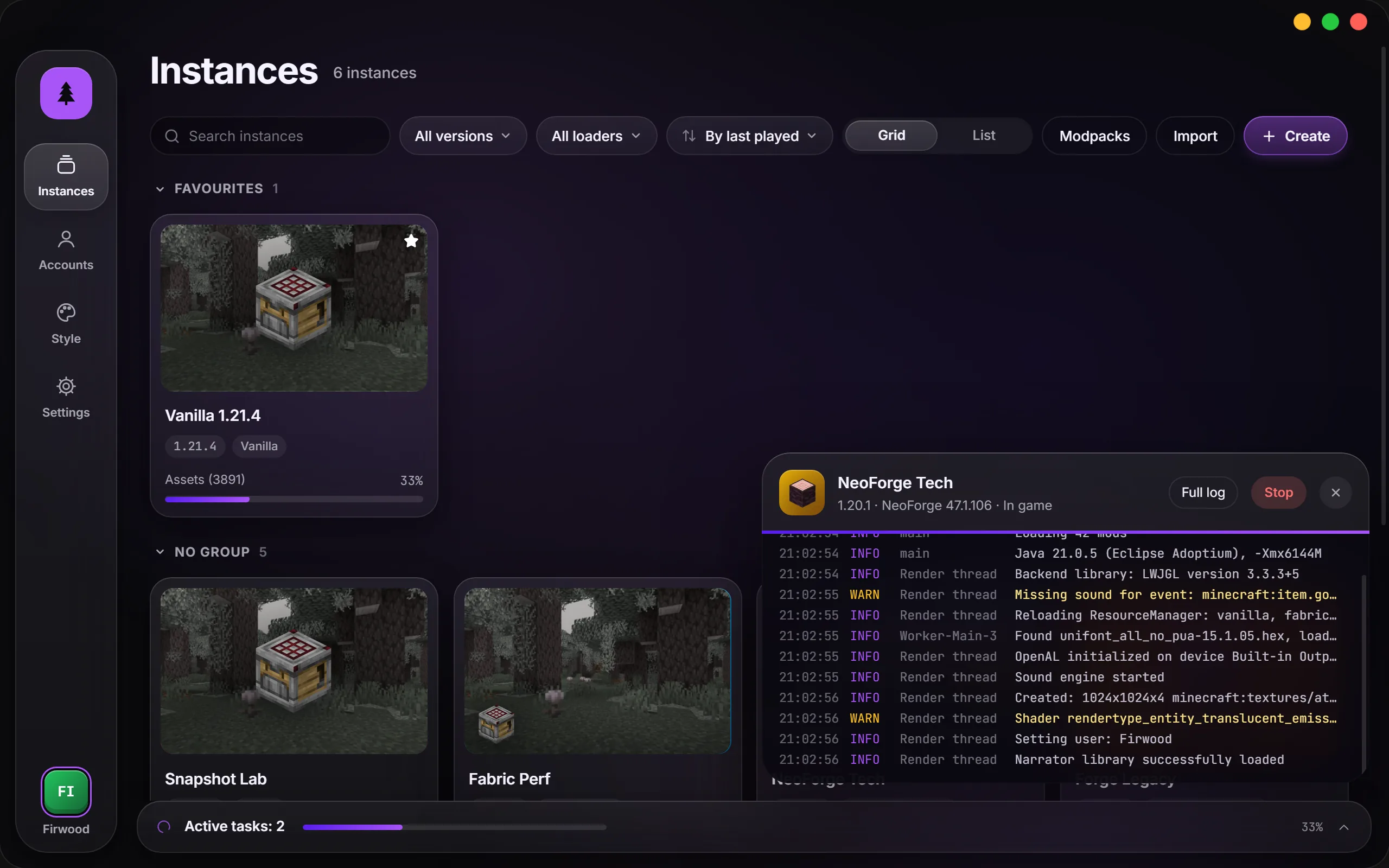
- Modrinth and CurseForge
- Search with filters, one-click install, dependencies come along by themselves.
- Updates with changelogs
- See what changed in every newer version of a mod before you update.
- Careful modpack updates
- Your own mods and config edits stay where they are.
When something breaks
- Crashes explained
- The launcher reads the log and tells you the cause in plain words, often with a Fix button.
- Instance snapshots
- Mods, configs and the loader are saved before updates — roll back in one click.
- World backups
- Automatically before updates, and whenever you ask.
Playing
- Microsoft and offline accounts
- Offline accounts can play online too, on servers that don’t check licences.
- No Java to install
- The launcher downloads the right version itself.
- Updates itself
- New versions arrive as a button inside the launcher and are checked against a digital signature.
Windows 10 and 11
macOS
Linux
Already installed? No need to download again: the launcher shows an “Update and restart” button.
Windows. The installer isn’t code-signed yet, so SmartScreen may warn you — click “More info”, then “Run anyway”.
macOS. The app isn’t notarised by Apple: right-click it and choose Open. If macOS says the file is damaged, run xattr -cr /Applications/FirLauncher.app in Terminal.
FAQ
Questions
Is it really free?
Yes. FirLauncher is released under the MIT licence, with no paid features and no ads.
Do I need to own Minecraft?
To play on official servers and use your own skin, you need a Microsoft account that owns the game. An offline account works for singleplayer, LAN games and servers that don’t check licences.
Where are my instances stored?
In the launcher’s data folder: %APPDATA%\FirLauncher on Windows, ~/Library/Application Support/FirLauncher on macOS and ~/.config/FirLauncher on Linux. You can move it in the settings.
How is it different from the official launcher?
FirLauncher is made for modded play: every instance has its own mods and worlds, mods install from catalogues together with their dependencies, modpacks import and update, and when the game crashes the launcher tells you why.